

Everything in one app — cricket, slots, live casino
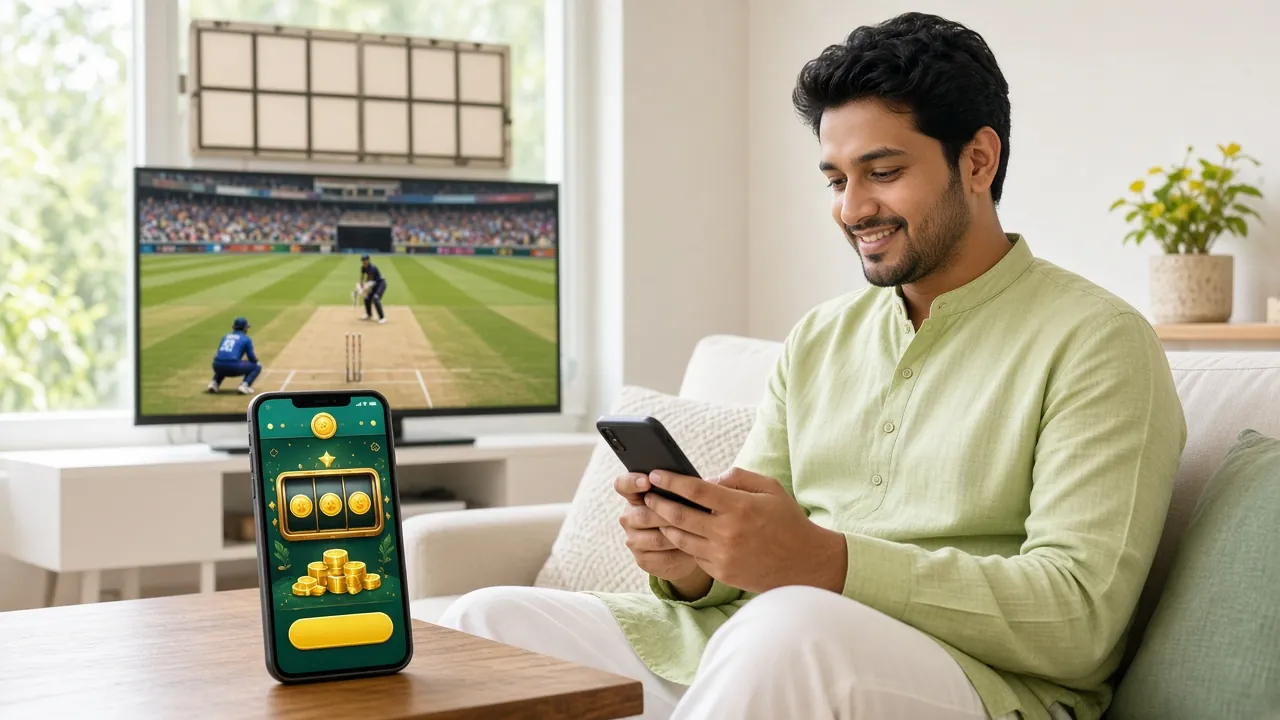
The ed111 app brings your full account to Android. Bet on BPL and IPL T20 matches, spin slots from Evolution and Ezugi, top up with bKash in under 6 minutes, and withdraw straight to Nagad. The APK is free, takes less than 2 minutes to install, and works on Android 7.0 or newer.
Scan the QR code on your phone or tap the Download button above. iOS users can use the mobile browser — see the "Add to Home Screen" steps below.
App vs Browser — What Actually Changes
Both give you the full ed111 game library and the same account balance. The difference is speed, notifications, and how the interface fits your screen.
| Feature | ed111 App (Android APK) | Mobile Browser | Desktop Browser |
|---|---|---|---|
| Match & deposit alerts | Push notifications | Not available | Not available |
| Page load speed | Faster — cached assets | Moderate | Fast on broadband |
| Fingerprint / PIN login | Supported | Not supported | Not supported |
| Cricket live scores widget | In-app overlay | Opens full page | Sidebar widget |
| bKash / Nagad deposit | Deep-link to wallet app | Manual redirect | QR or redirect |
| Live casino streaming | HD, low-latency | HD where Wi-Fi allows | HD |
| Auto-update | Manual APK update | Always latest | Always latest |
| Data usage | Lower — compressed assets | Higher on first load | Standard |
| Offline bet-slip drafts | Saved locally | Lost on tab close | Lost on tab close |
All game results, bonuses, and balances are identical across app and browser — same account, same wallet.
System Requirements & Version Info
Check these details before you download. The APK will not install on Android versions below 7.0 or if your storage is under 100 MB free.
| Detail | Value |
|---|---|
| App version | 2.3.5 |
| File name | ed111.apk |
| File size | 41 MB |
| Minimum Android | 7.0 (Nougat) or later |
| Last updated | 3 November 2026 |
| Price | Free |
| Languages | English / Bangla |
| iOS support | Progressive Web App (Add to Home Screen) |
| Recommended storage | 100 MB free minimum |
| Internet required | Yes — 4G / Wi-Fi recommended for live casino |
- SSL Encrypted
- Android 7.0+
- No Malware
- 24/7 Support
- 18+ Only
What You Can Do in the ed111 App
From your first login to your next withdrawal — here is everything the app handles.
Cricket & Sports Betting
Bet on BPL, IPL, T20, and ODI matches with live in-play odds. The app streams score updates in real time so you can close a bet at the right moment. 1X2, over/under, and player performance markets all available. Minimum stake ৳500 to start.
Live Casino Tables
Evolution and Sexy Gaming tables stream directly in the app — Blackjack, Baccarat, Roulette, and Dragon Tiger with real dealers. The low-latency stream works on 4G. Bet from ৳10 per round without switching to a browser. Play is instant on tap.
Slots & Crash Games
Access slots from Evolution, Ezugi, JDB, and CQ9 — including Mines Grand, Dragon Fortune, and Ludo Quick — directly from the app lobby. Crash games load in under 3 seconds on a standard 4G connection. Slots start from ৳1 per spin.
bKash & Nagad Deposits
The app deep-links to your bKash or Nagad wallet — tap Deposit, enter the amount (minimum ৳500), confirm in your wallet app, and the balance appears in about 6 minutes. Rocket and Upay are also supported. No manual transaction ID needed.
Push Notifications
Turn on alerts for match starts, your withdrawal being processed, or a reload bonus going live. Notifications arrive even when the app is in the background. You can manage which alerts you want from Settings > Notifications inside the app. No spam.
Biometric Login
Log in with your fingerprint or phone PIN after the first password login. Biometric login works on most Android 7.0+ devices with a fingerprint sensor. If your phone does not have one, you can save a PIN inside the app security settings instead.
Android APK — 5-Step Install
Google Play does not list gambling APKs, so you install directly from our file. The process takes about 90 seconds total.
-
1
Allow Unknown Sources
Open Settings → Apps → Special App Access → Install Unknown Apps. Find your browser (Chrome or Firefox) and toggle "Allow from this source" to ON. This tells Android it is safe to install APK files from outside the Play Store. You can turn it off again after installing.
-
2
Download the APK
Tap the Download APK button on this page or scan the QR code above with your phone camera. Your browser will save ed111.apk (41 MB) to your Downloads folder. Wait for the download to finish — a stable Wi-Fi or 4G connection is recommended.
-
3
Open the APK File
Pull down your notification shade and tap "ed111.apk — download complete", or open your Files app and go to Downloads. Tap the file. Android will show an install prompt. If a warning says "Unsafe app," tap More details → Install anyway — this is a standard Android message for sideloaded files.
-
4
Install & Launch
Tap Install on the prompt. Installation takes about 20 seconds. When done, tap Open to launch immediately, or find the ed111 icon in your app drawer. The app will ask for notification permission — allow it to receive match alerts and deposit confirmations.
-
5
Log In or Register
Use your existing ed111 account to log in, or tap Create Account to register in under 2 minutes. Your balance, bonuses, and bet history from the browser carry over instantly. First deposit via bKash unlocks your welcome bonus.
iOS — Add ed111 to Your Home Screen
Apple does not allow gambling APKs on the App Store. Instead, use Safari to pin the site as a home-screen shortcut — it behaves like a native app.
- 1 Open Safari on your iPhone or iPad and go to ed111.ws. Chrome and Firefox on iOS do not support Add to Home Screen fully — use Safari.
- 2 Tap the Share icon (box with an arrow) at the bottom of the Safari toolbar. Scroll down in the share sheet until you see "Add to Home Screen."
- 3 Tap Add to Home Screen, edit the name to "ed111" if you like, then tap Add in the top-right corner. The icon appears on your home screen immediately.
- 4 Tap the ed111 icon to open in full-screen mode without Safari's address bar. Log in or create a new account. All features work — bKash deposits, live casino, cricket betting.
Security & App Permissions
The ed111 APK only requests permissions it actually needs. Here is what each permission does and why it is there.
SSL Encryption on All Traffic
Every request the app makes — login, deposit, game data — is encrypted with TLS 1.2 or higher. Your account credentials and payment details never travel in plain text. The connection uses the same standard as online banking apps.
No Camera or Microphone Access
The ed111 app does not request camera or microphone permissions. It requests only: Internet access (to load games), Notifications (for match alerts), and Storage (to cache game assets locally). You can review and revoke any permission in Android Settings → Apps → ed111 → Permissions.
Biometric Data Stays On-Device
When you enable fingerprint login, your fingerprint never leaves your phone. The app uses Android's standard BiometricPrompt API — it asks Android "is this finger registered?" and gets a yes or no. ed111 servers never receive or store biometric data of any kind.
Download Only from ed111.ws
The only safe source for the ed111 APK is this page (ed111.ws/ed111-app/) or the direct link /download/ed111.apk. APKs shared on Telegram groups or third-party sites may be modified. If you are unsure whether your APK is genuine, delete it and re-download from here.
Common Install Problems — Quick Fix Guide
Most install errors come from one of five causes. Find your error message below and follow the fix.
| Problem | Likely Cause | How to Fix |
|---|---|---|
| "Install blocked" message | Unknown sources permission not enabled for your browser or file manager app | Go to Settings → Apps → Special App Access → Install Unknown Apps. Find the app you used to download (Chrome, Firefox, or My Files) and enable "Allow from this source." Then try installing again from your Downloads folder. |
| "App not installed" error | Incomplete download, corrupt APK, or an older version of ed111 is already installed | Uninstall any existing ed111 app first (Settings → Apps → ed111 → Uninstall). Delete the APK from Downloads, then re-download the latest version (v2.3.5) directly from this page and retry the install. |
| APK download stops mid-way | Weak mobile signal or network dropped during the 41 MB download | Switch to Wi-Fi or move to an area with stronger 4G. Delete the incomplete file from Downloads, then tap Download APK again on this page. The download will restart from the beginning — do not use a download manager that splits the file. |
| App crashes on launch | Android version below 7.0, or less than 100 MB free storage on the device | Check your Android version in Settings → About Phone → Software Information. If it is below 7.0, the app will not run — use the mobile browser version at ed111.ws instead. If Android is 7.0+, free up at least 100 MB of storage and re-launch. |
| Fingerprint login not working | Biometric not set up on the device, or the feature needs to be enabled in app settings | First, make sure you have added a fingerprint in Android Settings → Security → Fingerprint. Then inside the ed111 app go to Profile → Security → Enable Biometric Login and re-authenticate with your password once to activate it. |
Problem not listed? Contact the support team via 24/7 Live Chat inside the app or email [email protected].
Get the ed111 App Now
Free download, no account needed to install. Register or log in after the app opens. Compatible with Android 7.0+.
File: ed111.apk · Size: 41 MB · Version: 2.3.5 · Free
- Deposit
- ~6 min
- Withdrawal
- ~9 min
- Min Deposit
- ৳500
- Games
- 5,800+
ed111 App — Questions Answered
Quick answers to what Bangladesh players ask most before installing.
Is the ed111 APK safe to install?
Yes — if you download it from this page (ed111.ws/ed111-app/). The APK is scanned before each release and does not contain adware, spyware, or any hidden processes. All app traffic is encrypted with TLS. The "Unknown Sources" warning you see during install is a standard Android message shown for any app installed outside the Play Store — it does not mean the file is dangerous. Never install from Telegram or third-party APK sites.
How do I update the app when a new version comes out?
The ed111 app does not update automatically. When a new version is released, a notification will appear inside the app with a direct link to the new APK. Tap it, download, and install over the existing app — your account, settings, and balance are not affected. You can also check this page (ed111.ws/ed111-app/) for the latest version number at any time. The current version is 2.3.5, updated 3 November 2026.
What if the install fails even after enabling Unknown Sources?
Start by uninstalling any previous version of the app in Settings → Apps → ed111 → Uninstall. Then delete the existing APK file from Downloads, re-download the fresh copy from this page, and try again. If the error message says "Insufficient storage," free at least 100 MB before retrying. For persistent errors — especially "Parse error" — your Android version may be below 7.0, in which case use the mobile browser at ed111.ws instead.
Can I use the app on iOS or an iPhone?
Apple does not allow gambling APKs on the App Store, so there is no iPhone app to install. The best option for iPhone and iPad users is to open Safari → ed111.ws → Share → Add to Home Screen. This creates a full-screen shortcut that looks and behaves like a native app. All features work: bKash deposits, live casino, cricket betting, and push-style alerts. See the step-by-step guide in the iOS section above.
Does the app work on 3G or only 4G?
The app works on 3G for most features — sports betting, slots, and bKash deposits run fine. Live casino streaming (Evolution and Sexy Gaming tables) performs best on 4G or Wi-Fi because the dealer video requires a stable 2–4 Mbps connection. On a slow 3G connection you may notice buffering during live dealer sessions. Crash games and slots use very little data and are reliable even on weaker signals. We recommend Wi-Fi for sessions longer than 30 minutes.
Do I need a separate account for the app?
No. Your existing ed111 account works directly in the app — just enter the same email or mobile number and password you use on the website. If you are new, tap Create Account inside the app or visit ed111-register. One account covers the app, mobile browser, and desktop browser simultaneously. Your balance, active bonuses, and open bets are visible everywhere in real time.
What is the minimum Android version needed?
The ed111 app requires Android 7.0 (Nougat) or higher. To check your version, open Settings → About Phone → Software Information → Android Version. Most phones sold in Bangladesh from 2018 onward run Android 8.0 or later and are fully compatible. If your device is on Android 6.0 or below, the app will either refuse to install or crash on launch. In that case, use the mobile-optimised browser version at ed111.ws — it supports all major features.