After reading this guide, you'll know exactly how to fund your ed111 account using bKash, Nagad, Rocket, or Upay—plus what to do if something goes wrong. We walk through each payment method step by step, show you limits and timing, and answer the questions players ask most.
Payment Methods & Limits
ed111 accepts deposits through four trusted local payment networks. All deposits land in your account within 6 minutes or less—usually faster.
- Payment Method Deposit Time Min Amount Max Per Day
- bKash 6 min ৳500 No limit
- Nagad 6 min ৳500 No limit
- Rocket 6 min ৳500 No limit
- Upay 6 min ৳500 No limit
How to Deposit to Your ed111 Account
Deposit via bKash
bKash is the fastest and most popular deposit method among ed111 players. The process takes under 5 minutes from start to finish.
-
1
Log into ed111
Visit ed111 or open the app. Click your profile icon, then select "Deposit."
-
2
Choose bKash
Select bKash from the payment method list. Enter the amount you want to deposit (minimum ৳500).
-
3
Open bKash App
Open your bKash app on your phone. Go to Send Money and enter ed111's merchant bKash number (shown on screen).
-
4
Confirm & Done
Enter your bKash PIN to confirm. Your ed111 balance updates instantly within 1–2 minutes.
Deposit via Nagad
Nagad offers the same speed and reliability as bKash. If your bKash account is low, Nagad is your backup—or choose it simply because you prefer it.
-
1
Log into ed111
Open ed111 account. Go to Deposit from your profile menu.
-
2
Select Nagad
Pick Nagad from payment methods. Enter deposit amount (minimum ৳500).
-
3
Use Nagad App
Open Nagad app. Choose Send Money. Enter ed111's Nagad merchant ID (provided on screen).
-
4
Verify & Finish
Enter your Nagad PIN. Balance updates in 1–2 minutes. You're ready to play.
Deposit via Rocket or Upay
Rocket and Upay follow the same fast process. Choose either one depending on which service you already use or trust most.
For both Rocket and Upay, the steps are identical to bKash or Nagad above: (1) Log in to ed111, (2) Choose your method, (3) Open the app and send money to ed111's merchant account, (4) Confirm with your PIN. Your deposit lands in 1–6 minutes. Minimum deposit is ৳500 for both.
Welcome Bonus on Your First Deposit
Bonus Tips
- The bonus is credited instantly after your deposit arrives.
- Your cash balance is always yours—use it first or save bonus money for later.
- Bonus funds must be wagered 15 times before you can withdraw. This means if you get ৳1,000 bonus, you need to place ৳15,000 in bets.
- You have 7 days to complete the wagering requirement. After that, unused bonus funds expire.
- Bonus applies to most games, but some games (such as certain live table games) may contribute less or not at all toward wagering.
Troubleshooting Common Deposit Problems
Money Sent But ed111 Balance Didn't Update
This is rare, but it happens. Most of the time, your payment went through and your ed111 account will update within 10 minutes. If not:
- Step 1: Check your bKash/Nagad/Rocket app transaction history. Look for a successful payment marked "completed" or "sent."
- Step 2: Log out of ed111 and log back in. Sometimes the app just needs a refresh.
- Step 3: If you sent the money to the correct ed111 merchant account (double-check the number on screen before sending), the deposit should show up within 15 minutes. If it hasn't, contact support with your transaction ID.
- Step 4: Our support team will trace the payment using your bKash/Nagad reference number and resolve it the same day.
"Insufficient Balance" or Payment Declined
This error means your bKash, Nagad, Rocket, or Upay wallet doesn't have enough money for the deposit. Solutions:
- → Add money to your mobile wallet by visiting an agent, asking a friend, or transferring from another account.
- → Try a different payment method (e.g., use Nagad if bKash is empty).
- → Lower your deposit amount to match what's in your wallet.
Deposit Amount Exceeded Maximum or Minimum
ed111 accepts deposits as low as ৳500 and as high as your wallet allows. If you see an error:
- Too small? Deposit at least ৳500. Smaller amounts may be rejected by the payment provider.
- Too large? Your mobile wallet may have a daily sending limit (set by bKash, Nagad, etc.). Try depositing ৳50,000 or less per transaction. You can make multiple deposits in one day if needed.
ed111 Gave Me the Wrong Merchant Number or It Keeps Changing
The ed111 merchant ID should be stable. If you see a new number each time you try to deposit:
- Always use the number shown in the ed111 deposit screen at the moment you are depositing—that's the correct and current account.
- If the number changes between page refreshes, clear your browser cache or try the app instead.
- When in doubt, contact support. We'll confirm the right number and you can deposit with confidence.
I Deposited But My Bonus Didn't Activate
Your bonus activates automatically when your deposit arrives. If you don't see it:
- Check your account settings. Go to Bonuses or Promotions. You might need to click "Claim" to activate it.
- Verify your deposit arrived. It must clear to your ed111 account first. If it's still pending, wait 5–10 more minutes.
- Check your eligibility. First-deposit bonuses apply only once per account, to players who have never deposited before.
- Contact support if none of the above work. They'll manually add the bonus or explain why it wasn't available.
Questions Players Ask About Deposits
What's the fastest way to deposit at ed111?
Can I deposit with a debit or credit card?
Is there a maximum amount I can deposit per day?
Do I need to verify my account before I can deposit?
What happens if I send money to the wrong number by mistake?
Can someone else deposit money into my ed111 account?
What if my deposit bonus expired?
Can I get a refund if I deposit by mistake?
How do I know if my deposit is safe?
Can I deposit if I'm playing from outside Bangladesh?
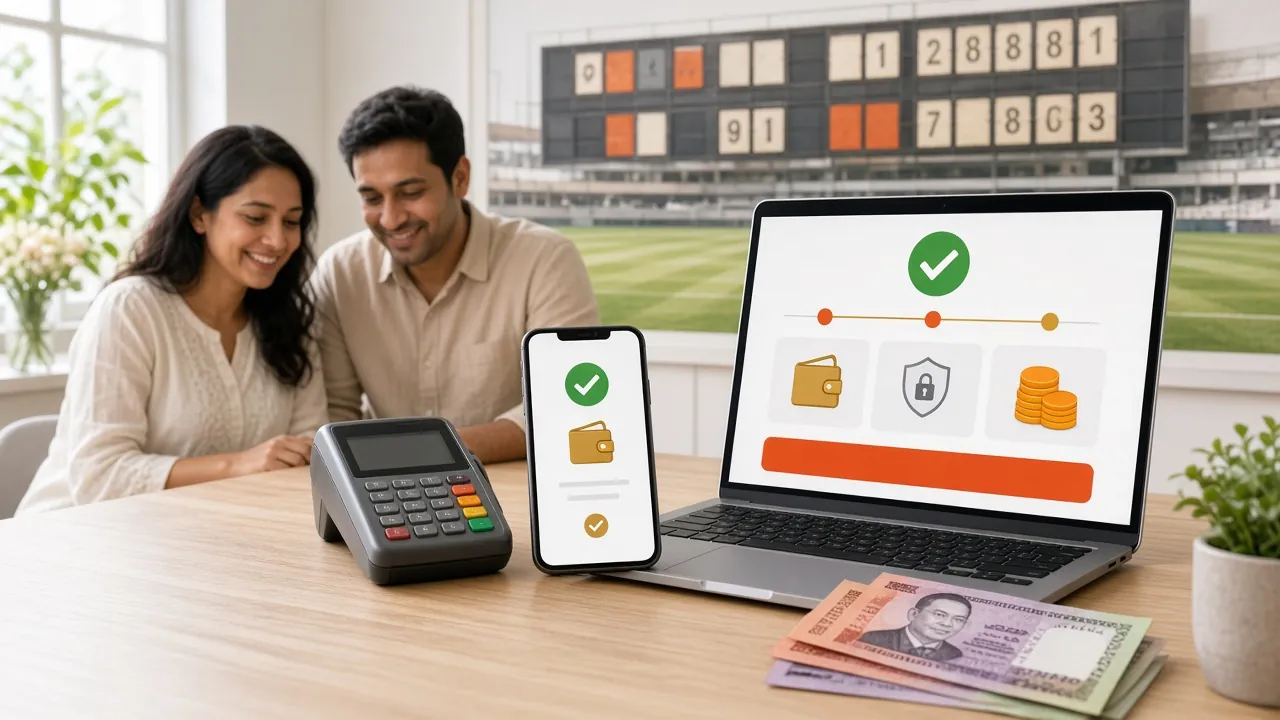
Ready to Fund Your ed111 Account?
You now know exactly how to deposit using bKash, Nagad, Rocket, or Upay. Pick your method, follow the steps above, and your balance updates in minutes. Your 140% welcome bonus is waiting.
Create Your Account & DepositNeed More Help?
If your question isn't answered above, our support team is here 24/7. Reach out anytime:
- Live Chat: Open your ed111 app or website and click the chat icon.
- Email: [email protected]